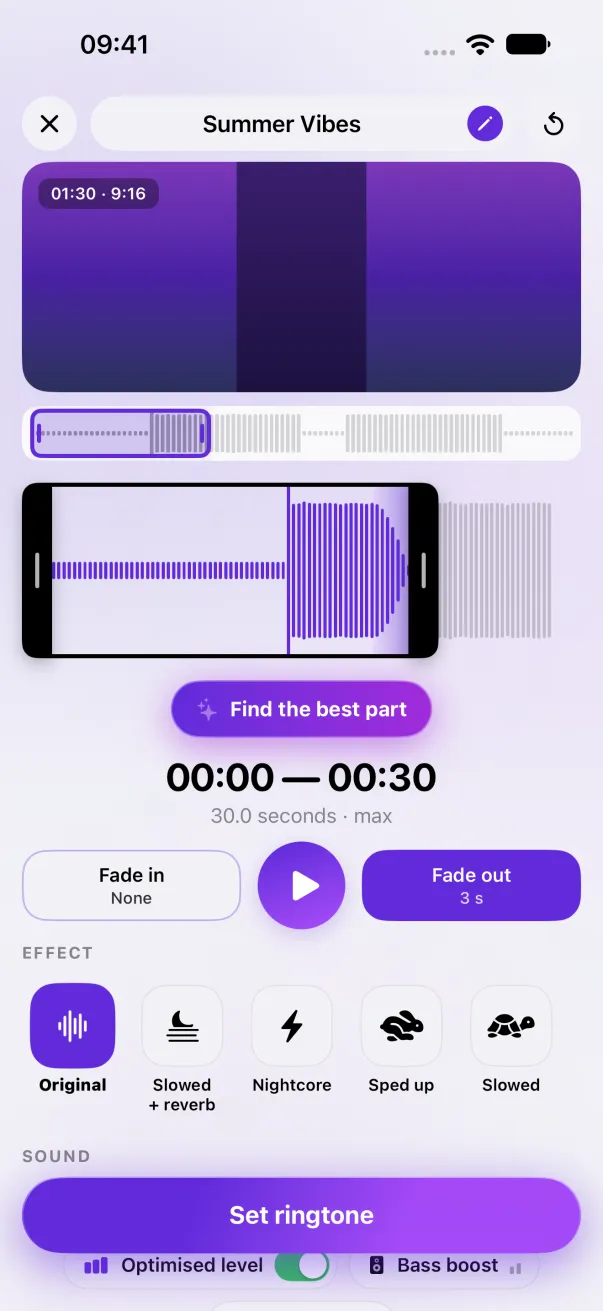
iPhone ringtone refused: the 30-second limit
You chose “Use as Ringtone” and nothing happened? Most of the time, the sound is too long.
iOS refuses any ringtone longer than 30.0 seconds, without a message. Shorten the part to 30 seconds or less, then try again.
How to tell it's installed
When iOS accepts the ringtone, it opens Settings by itself, with the ringtone already selected. If Settings doesn't open, it wasn't installed, even if the share sheet closed normally.
The exact limit
We measured it: 30.0 seconds goes through, 30.1 is refused. Watch out for effects that slow the sound down: 30 seconds slowed become 35.
Fix it
- Shorten the selection to 30 seconds or less.
- In Phone Ringtones it's automatic: the app always cuts at 30 seconds and redoes the end fade, even with Slowed or Slowed + reverb. The real length shows under the part.
- Tap Set ringtone again, then Use as Ringtone.
It doesn't show up in Settings
Before iOS 26, a ringtone installs with GarageBand (Share › Ringtone › Export), then shows at the top of Settings › Sounds & Haptics › Ringtone. The steps are in Turn a video into an iPhone ringtone.
The easy way: Phone Ringtones
Pick a video, pick your part, install it. Free, on iPhone.