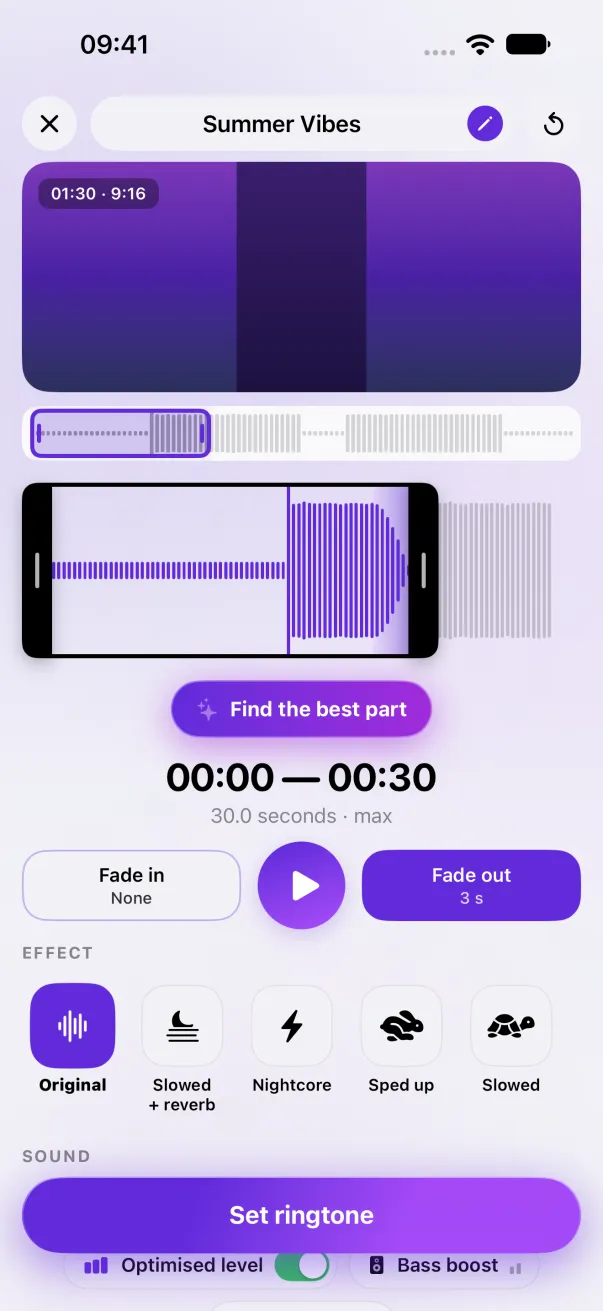
A custom iPhone ringtone, without GarageBand
For years, putting your own ringtone on an iPhone meant GarageBand or a computer. Since iOS 26, it doesn't anymore.
In short
On iOS 26 or later, share a sound of 30 seconds or less and choose Use as Ringtone. Before iOS 26, without a computer, GarageBand is still the only way.
Check your iOS version
Go to Settings › General › About and look at the iOS version.
iOS 26 and later: one tap
The iPhone offers the Use as Ringtone action in the share sheet, for a sound of 30 seconds or less in a format it accepts. Phone Ringtones prepares the sound for you:
- Make your ringtone in Phone Ringtones, from a video, an audio file or one of our sounds.
- Tap Set ringtone, then Use as Ringtone.
- If Settings opens by itself with your ringtone selected, it's installed.
Before iOS 26
Without a computer, there is no other way than GarageBand, Apple's free app. Phone Ringtones takes you there and shows you the three steps. They're in Turn a video into an iPhone ringtone.
The easy way: Phone Ringtones
Pick a video, pick your part, install it. Free, on iPhone.