iPhone ringtone too quiet or getting quieter? How to fix it
It's almost always one of three things: the ringtone volume, an iOS feature that lowers it when you look at the screen, or a ringtone file recorded too low.
Turn up Ringer and Alerts in Settings › Sounds & Haptics. If it gets quieter when you pick up your iPhone, turn off Attention Aware Features. If it's a custom ringtone, make it again with Optimised level on.
1. The ringtone volume
The ringtone volume isn't the music volume. In Settings › Sounds & Haptics, turn up the Ringer and Alerts slider.
Right below it is Change with Buttons: when it's on, the volume buttons change the ringtone too, and one press too many turns it down without you noticing. Turn it off so the ringtone stays where you set it.
2. It gets quieter when you look at your iPhone
On an iPhone with Face ID, iOS lowers the ringtone as soon as it sees you looking at the screen: you've seen the call, so it doesn't need to shout anymore. If your ringtone seems to go down by itself, that's why.
To keep it loud: go to Settings › Accessibility › Face ID & Attention, then turn off Attention Aware Features.
3. The ringtone itself is too low
A ringtone made from a video, a voice or a calm passage can be recorded much lower than Apple's ringtones. Maxing out the slider won't help: the file itself is quiet.
- Open the ringtone in My ringtones in Phone Ringtones (editing it doesn't count as a new ringtone).
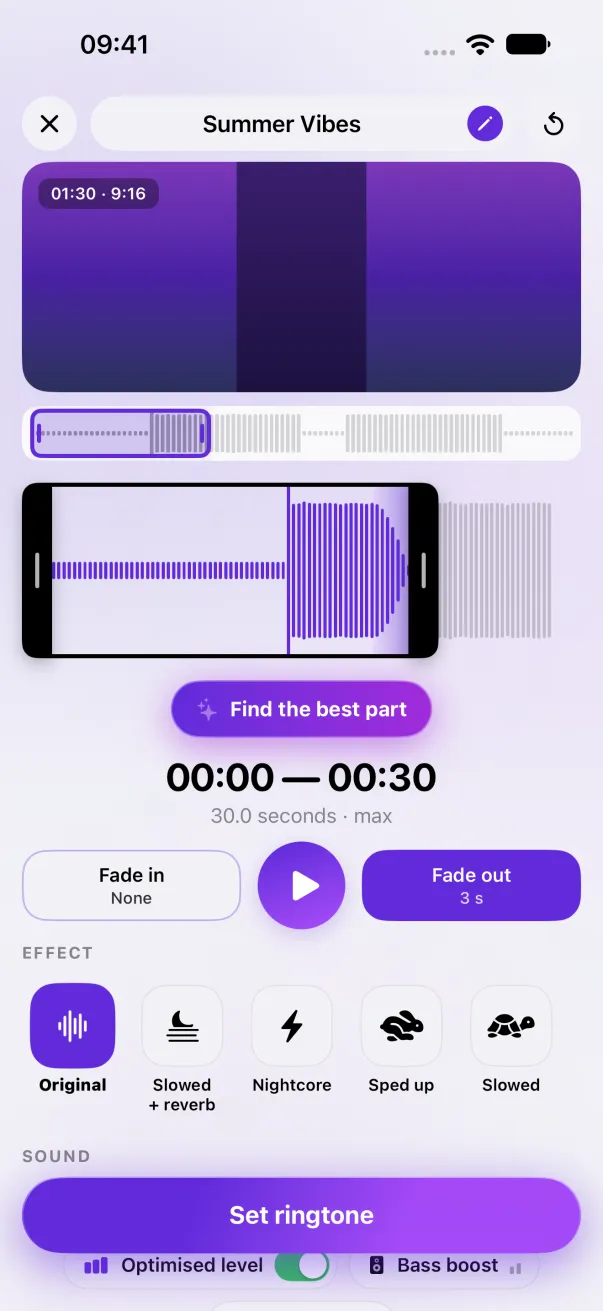
- Make sure Optimised level is on: it brings the sound up to the level of regular ringtones, without distortion. It's free.
- Still too quiet? The Volume slider goes up to 200% (above 100%, it's Premium).
- Pick a louder part: a chorus rather than an intro.
- Tap Set ringtone to reinstall the fixed version.
Still quiet?
- A thick case or a pocket muffles the speaker: test your iPhone lying on a table.
- Earbuds or a car connected over Bluetooth: the ringtone may play there instead of on the speaker.
- The speaker itself: if videos are quiet too, gently clean the bottom grille with a dry brush.
And if your iPhone doesn't ring at all: see iPhone not ringing.
The easy way: Phone Ringtones
Pick a video, pick your part, install it. Free, on iPhone.