Instagram Reel or Snapchat audio as your iPhone ringtone
Instagram and Snapchat don't give you an audio file. It works the same way as with TikTok: get a video into your camera roll, then keep its sound.
Get the video into your camera roll (the Download button if there is one, Screen Recording if not), then in Phone Ringtones tap Video, keep your part and tap Set ringtone.
Instagram: a Reel
- Your own Reel: on the Reel, tap …, then the download option. It lands in your camera roll.
- Someone else's Reel: tap the share button (the paper plane). Depending on your country and what the creator allows, Download shows up in the list. If it doesn't, use screen recording (below).
Reels that use a song from Instagram's music library sometimes download without the music, for rights reasons. Play the saved video before you go any further.
Snapchat: a Snap or a Spotlight
- Your own Snap: save it to your Memories, then export it to your camera roll.
- Someone else's Snap: Snapchat doesn't allow it, and it lets the sender know when you capture it. Ask them to send it to you instead.
Screen recording
For your personal use, when there's no button: open Control Center, tap Screen Recording, wait for the countdown, play the video with the sound on, then stop the recording (the red dot at the top of the screen). The video lands in Photos with the app's sound.
Turn it into a ringtone
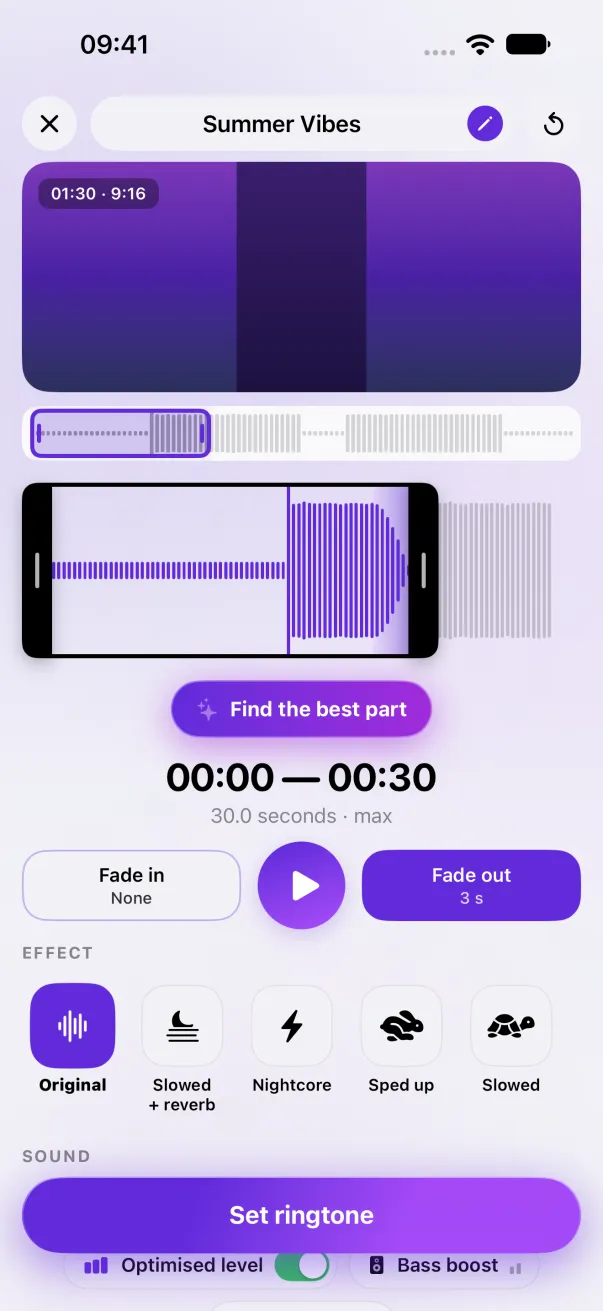
- In Phone Ringtones, tap Video and pick the video.
- Place the selection on the part you want, 30 seconds at most. Skip the start if the screen recording picked up a noise.
- Tap Set ringtone, then Use as Ringtone.
The sound still belongs to whoever made it: the ringtone is for your iPhone, not for reposting. The TikTok method is a little different: see A TikTok sound as your ringtone.
The easy way: Phone Ringtones
Pick a video, pick your part, install it. Free, on iPhone.