iPhone ringtone format: m4r, AAC and 30 seconds
An iPhone ringtone is a very specific file: AAC audio, in an MPEG-4 file, 30 seconds long at most. An MP3 or a WAV isn't accepted as is, even a short one.
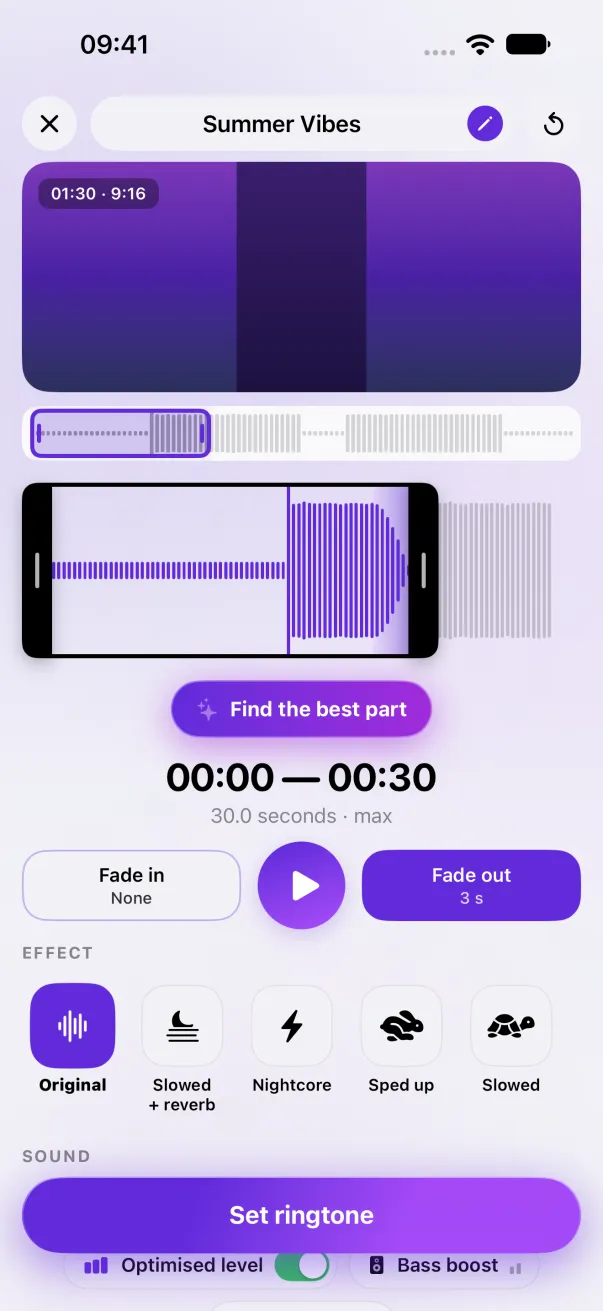
Format: AAC in an .m4r or .m4a file, 30.0 seconds at most. No MP3 or WAV directly. Phone Ringtones converts any file or video to this format, right on your iPhone.
What iOS accepts
- The audio: AAC, Apple's compressed format. That's what matters, not the extension.
- The file: MPEG-4 audio, with the .m4r extension (the classic name for ringtones) or .m4a. Since iOS 26, the Use as Ringtone action accepts an .m4a.
- The length: 30.0 seconds at most. 30.1 seconds is refused, with no clear message. See The 30-second limit.
- The size: doesn't matter in practice. 30 seconds of AAC weigh less than 500 KB.
Why an MP3 is refused
MP3 is a different way of encoding sound. Renaming “song.mp3” to “song.m4r” doesn't change what's inside: iOS opens the file, finds no AAC, and refuses it. Same for a WAV, which isn't compressed at all. So you have to re-encode the sound, not just rename the file.
Convert it on your iPhone
- Put your file (MP3, WAV, M4A, AIFF) in the Files app, or your video in Photos.
- Open it in Phone Ringtones with Audio or Video.
- Pick 30 seconds at most: the app re-encodes to AAC and never goes over 30.0 seconds, even with an effect that slows it down.
- Tap Set ringtone: the file is ready for iOS, with the name you gave it (“Summer chorus.m4a”), and also saved in the Files app.
What about quality?
An iPhone's small speaker can't bring out the difference between a high-quality file and an ordinary MP3. What you really hear is the level: a ringtone recorded too low sounds weak even at full volume. See Ringtone too quiet.
The easy way: Phone Ringtones
Pick a video, pick your part, install it. Free, on iPhone.