Make a ringtone with your voice on iPhone (or the caller's name)
A ringtone that says “Mom's calling!”, a friend's laughing fit or your own song: anything your iPhone records can become a ringtone. There's also an iOS option that reads the caller's name out loud.
Record yourself with Voice Memos, share the recording to Save to Files, then open it in Phone Ringtones with Audio and tap Set ringtone. To have it ring for just one person, assign it to their contact.
1. Record yourself with Voice Memos
- Open the Voice Memos app (it comes with the iPhone) and tap the red button.
- Say your line, or play the sound you want. Leave half a second of silence at the start: the ringtone will sound cleaner.
- Stop the recording, tap it in the list, then … and Share.
- Choose Save to Files and put it wherever you like.
2. Make it a ringtone
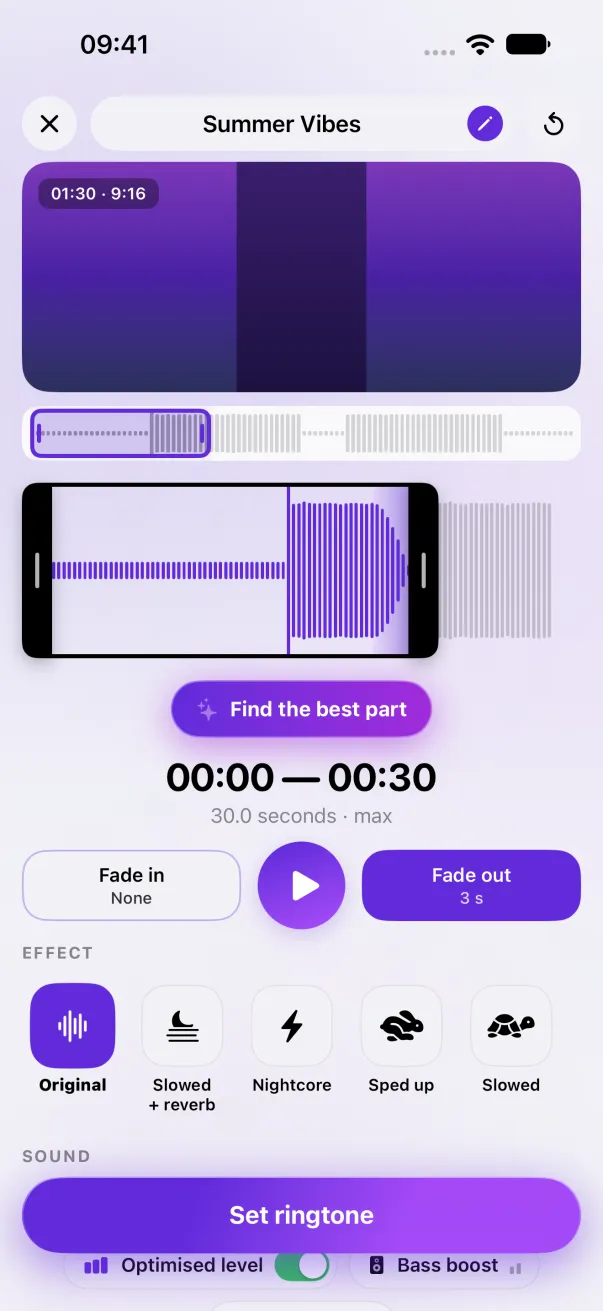
- In Phone Ringtones, tap Audio and pick the recording.
- Keep the part you need. A short line can repeat: the iPhone loops the ringtone for as long as the call rings.
- Leave Optimised level on: a voice recording is often quieter than music, and it brings it back to the right level.
- Tap Set ringtone, then Use as Ringtone.
3. For just one contact
An “It's Lea!” ringtone only makes sense for Lea. Once it's installed, open her card in Contacts, tap Edit, then Ringtone, and pick it. Phone Ringtones walks you through it: tap Assign to a contact. The details are in A different ringtone for a contact.
The iOS option that reads the name
If you just want to know who's calling without looking, iOS can say the name out loud, over your usual ringtone: Settings › Apps › Phone › Announce Calls (on iOS 17, Settings › Phone). You choose when: always, with headphones and in the car, or with headphones only.
It's Siri reading the contact's name: handy, but you don't choose the voice or the tone. A recorded ringtone, on the other hand, can be your voice, an impression or a joke.
The easy way: Phone Ringtones
Pick a video, pick your part, install it. Free, on iPhone.